Simple, free file transfer client supporting FTP, SFTP, and WebDAV for straightforward remote uploads
Simple, free file transfer client supporting FTP, SFTP, and WebDAV for straightforward remote uploads
Pros
- Supports multiple transfer protocols: FTP/S, SFTP, WebDAV/S
- Clean and intuitive user interface
- Runs smoothly with minimal system impact
- Completely free to use
- Browser-based version offered
Cons
- No advanced settings or automation
- Lacks detailed customization options
- Not ideal for complex transfer workflows
Free multi-protocol file transfer client supporting FTP/S, SFTP, and WebDAV/S
Overview
AnyClient is a free file transfer client for Windows that simplifies the process of connecting to remote servers using various protocols. Designed for both personal and professional use, AnyClient supports an impressive array of protocols, including FTP, FTP over SSL (FTPS), SFTP, and both standard and secure WebDAV. This standalone version installs directly onto your computer, offering quick and streamlined access to file transfer tasks.
Key Features
One of the standout aspects of AnyClient is its broad protocol support. By covering the most commonly used file transfer protocols—FTP/S, SFTP, and WebDAV/S—AnyClient caters to a wide range of users and server configurations. This flexibility proves particularly beneficial for those who manage files across different hosting environments or need secure options like SFTP or FTPS for sensitive data.
The user interface is clear and intuitive, geared toward efficient file transfers rather than advanced configuration. The main window displays a dual-panel layout, familiar to anyone who has used an FTP client before, allowing for straightforward drag-and-drop operations between local and remote directories.
Ease of Use
Simplicity is a core strength of AnyClient. It is designed to reduce setup friction and eliminate unnecessary complications. Users can access the Site Manager through the File menu to store connection details or connect on the fly by entering an address and credentials as prompted. Transfer progress and status indicators provide necessary transparency during operations.
Because AnyClient is relatively lightweight, it runs smoothly on most Windows machines without substantial resource consumption. For those who prefer not to install software, a browser-based version is available via the developer’s website, offering an even more accessible option for transient or corporate use.
Limitations
While AnyClient is suitable for general file transfer tasks, advanced users may find its feature set limited. There are no extensive configuration options, transfer rules, or automation features commonly found in more commercial solutions. Features such as scripting, advanced synchronization, or integration with system notifications are absent. As a result, AnyClient is best for straightforward file transfers rather than complex workflows.
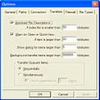
Another area where AnyClient shows limitations is in customization. The interface is functional but cannot be personalized, and there are no preferences to tweak for power users.
Performance and Reliability
Testing reveals the application to be stable and reliable during typical transfers. Connections to FTP, SFTP, and WebDAV servers establish promptly, and transfer speeds remain consistent with protocol limitations and network capability. Error handling is basic; meaningful error messages are provided but troubleshooting complex connection issues may require external investigation.
Conclusion
AnyClient delivers a straightforward, free solution for accessing and transferring files across various remote servers. Its protocol versatility and ease of use make it suitable for casual users, web administrators, and anyone who needs a simple FTP/SFTP/WebDAV client without additional complexity. However, users seeking granular controls, automation, or robust file management tools should consider alternative options.
Pros
- Supports multiple transfer protocols: FTP/S, SFTP, WebDAV/S
- Clean and intuitive user interface
- Runs smoothly with minimal system impact
- Completely free to use
- Browser-based version offered
Cons
- No advanced settings or automation
- Lacks detailed customization options
- Not ideal for complex transfer workflows